.png)
Download Adobe Premiere Pro CC for Mac — An Empowered Software For All
Adobe Premiere Pro CC is a leading video editing software trusted by professionals and content creators worldwide. Designed to provide powerful video editing capabilities, Premiere Pro offers many features, including multi-camera editing, advanced color correction, and seamless integration with other Adobe Creative Cloud applications. Whether you're an aspiring filmmaker, a social media content creator, or a professional editor, download Adobe Premiere Pro CC for Mac for access to an industry-standard tool set that enhances creativity and workflow efficiency.

Unlock your creativity with Adobe Stock
Get 10 images or 1 video with a free trial
With intuitive controls, AI-powered tools, and precise editing options, Premiere Pro remains one of the best choices for Mac users looking to create high-quality videos. From editing YouTube content to producing feature-length films, Premiere Pro is equipped with the essential features needed for both beginners and seasoned professionals.
Why Download Adobe Premiere Pro CC?
One of the primary reasons to download Adobe Premiere Pro is its industry-leading editing capabilities. The software provides a robust platform that caters to beginners and professionals, offering easy-to-use tools and advanced features. Whether putting together a short film or assembling complex projects with multiple layers, this software delivers a fluid and efficient editing experience.
Key Features of Adobe Premiere Pro CC
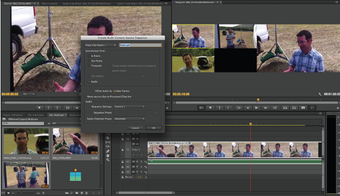
- Multi-Camera Editing — Synchronize and edit footage from multiple camera angles effortlessly.
- Advanced Color Correction — Utilize Lumetri Color tools to adjust brightness, contrast, and color grading for cinematic-quality visuals.
- Auto Reframe — Automatically adjust video dimensions for social media platforms, ensuring your content looks perfect on every screen.
- Seamless Adobe Integration — Work in sync with Photoshop, After Effects, and Audition, allowing for a streamlined creative process.
- High-Quality Video Rendering — Support 4K, 8K, and HDR video formats, ensuring professional-grade output.
- Motion Graphics Templates — Add animations and visual effects without requiring extensive graphic design skills.
- Customizable Keyboard Shortcuts — Speed up your workflow by setting up personalized shortcuts for frequently used functions.
- Team Collaboration Features — Edit projects simultaneously with colleagues through Adobe Team Projects, making remote editing seamless.
With its comprehensive suite of tools, Adobe Premiere Pro CC provides an unparalleled level of control and creative freedom, making it the top choice for video editors worldwide.
Advanced Editing and Performance Optimization
Adobe Premiere Pro CC is packed with high-performance features designed to streamline the editing process and improve workflow efficiency. If you're working on a high-budget film, a corporate video, or a personal vlog, you'll find tools that ensure smooth and efficient editing.
Special Features to Enhance Video Editing:
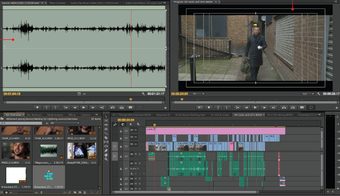
- Audio Auto-Ducking — Reduces background music levels when dialogue is detected, making voices more audible.
- Time Remapping — Adjust the speed of clips for dramatic slow-motion or fast-paced effects, ideal for action sequences and storytelling.
- VR Editing Support — Edit 360-degree videos with precise control, making it a great choice for immersive video production.
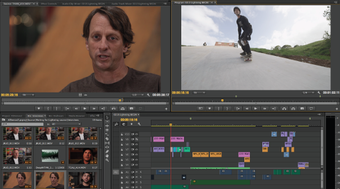
- Custom Workspaces — Personalize your editing layout for increased productivity and ease of access to essential tools.
- Proxy Workflow Support — Edit large video files more efficiently by creating lower-resolution proxies that speed up playback and editing.
With these advanced tools, users can produce high-quality content efficiently while maintaining creative control over every aspect of their projects.
Availability:
Adobe Premiere Pro is available through Adobe’s Creative Cloud subscription service, found on Softsonic. Users can choose from individual plans, business plans, or bundles that include other Adobe applications like After Effects and Photoshop. Regular updates ensure that Premiere Pro remains optimized for the latest macOS versions and hardware improvements. This program is specifically designed for macOS and provides seamless performance on Apple devices, including:
- MacBooks and iMacs running macOS Monterey, Ventura, and later versions.
- Apple Silicon (M1 & M2) Compatibility — Optimized for improved speed and efficiency on Apple’s latest chipsets.
- Retina Display Support — High-resolution UI scaling for better visual clarity.
- External Hardware Support — Compatible with Thunderbolt storage devices and external GPUs for faster rendering and previewing.
For the best performance, ensure that your Mac meets the following requirements:
- Operating System: macOS Monterey (12.0) or later
- Processor: Intel Core i5 or Apple M1/M2 (Recommended: Apple M1 Pro or M2 Max for 4K+ editing)
- RAM: 8GB minimum (16GB+ recommended for professional editing and multitasking)
- Storage: SSD with at least 8GB of available disk space (Recommended: 50GB+ for high-resolution projects and media files)
- Graphics Card: Apple M1/M2 GPU or AMD Radeon Pro (Recommended: Discrete GPU for advanced rendering and effects processing)
- Internet Connection: Required for activation, cloud-based features, and regular updates
Users can ensure smooth and efficient video editing performance with Adobe Premiere Pro CC on Mac by meeting these specifications.
Adobe Premiere Pro offers unmatched performance, professional-grade features, and seamless integration with Adobe’s Creative Suite. With Adobe Sensei AI tools, smart editing capabilities, and intuitive controls, the software caters to both professionals and beginners alike.
Advantages of Using Adobe Premiere Pro CC
Adobe Premiere Pro CC provides everything needed for professional video editing, whether you’re working on personal projects or large-scale productions. For those looking for alternative video editing software, Final Cut Pro and DaVinci Resolve are also excellent options available on Softonic. However, Adobe Premiere Pro CC continues to be a preferred choice for its extensive features and compatibility across different creative workflows. Some of the standout benefits include:
- Cloud-Based Workflows — Access projects from multiple devices via Creative Cloud, allowing for easy remote editing and file sharing.
- Subscription-Based Access — Always stay updated with the latest features and improvements, ensuring your software is cutting-edge.
- Robust Community Support — Access tutorials, forums, and Adobe’s expert support, making learning and troubleshooting easier.
- Efficient Media Management — Organize and categorize media files with metadata tagging, making locating assets within large projects easy.
- Wide Format Support — It can work with everything from RAW footage to high-compression formats like H.265, making it ideal for filmmakers and content creators.
Download Adobe Premiere Pro CC for Mac today and experience the best in professional video editing. With cutting-edge tools and an intuitive interface, you can bring your creative visions to life with precision and efficiency. Whether you're an independent filmmaker, a digital content creator, or a video production expert, Adobe Premiere Pro CC has everything you need to produce stunning visuals easily.